 API & Integrations
Webhooks
Webhooks in Docvora allow external applications and services to receive notifications when specific events occur within a Docvora instance.
Rather than repeatedly checking for changes, webhooks automatically send event information to a configured URL when an event is triggered.
This allows Docvora to integrate with external systems, automate workflows and keep information synchronised across different platforms.
How Webhooks Work
Webhooks use an event-based system to communicate with external services.
When a supported event occurs in Docvora, a request is sent to the configured webhook endpoint containing information about the event.
This process generally involves three steps:
An event occurs within Docvora.
Docvora sends an HTTP request to the configured webhook URL.
The receiving application processes the event and performs any required actions.
Common Use Cases
Webhooks can support a range of integrations and automated workflows, including:
Sending notifications to external communication platforms.
Triggering automated workflows when documentation changes.
Synchronising documentation activity with external systems.
Recording events in external monitoring or reporting tools.
Connecting Docvora with custom applications and services.
The available functionality depends on the events supported by Docvora and how the receiving application processes them.
Supported Events
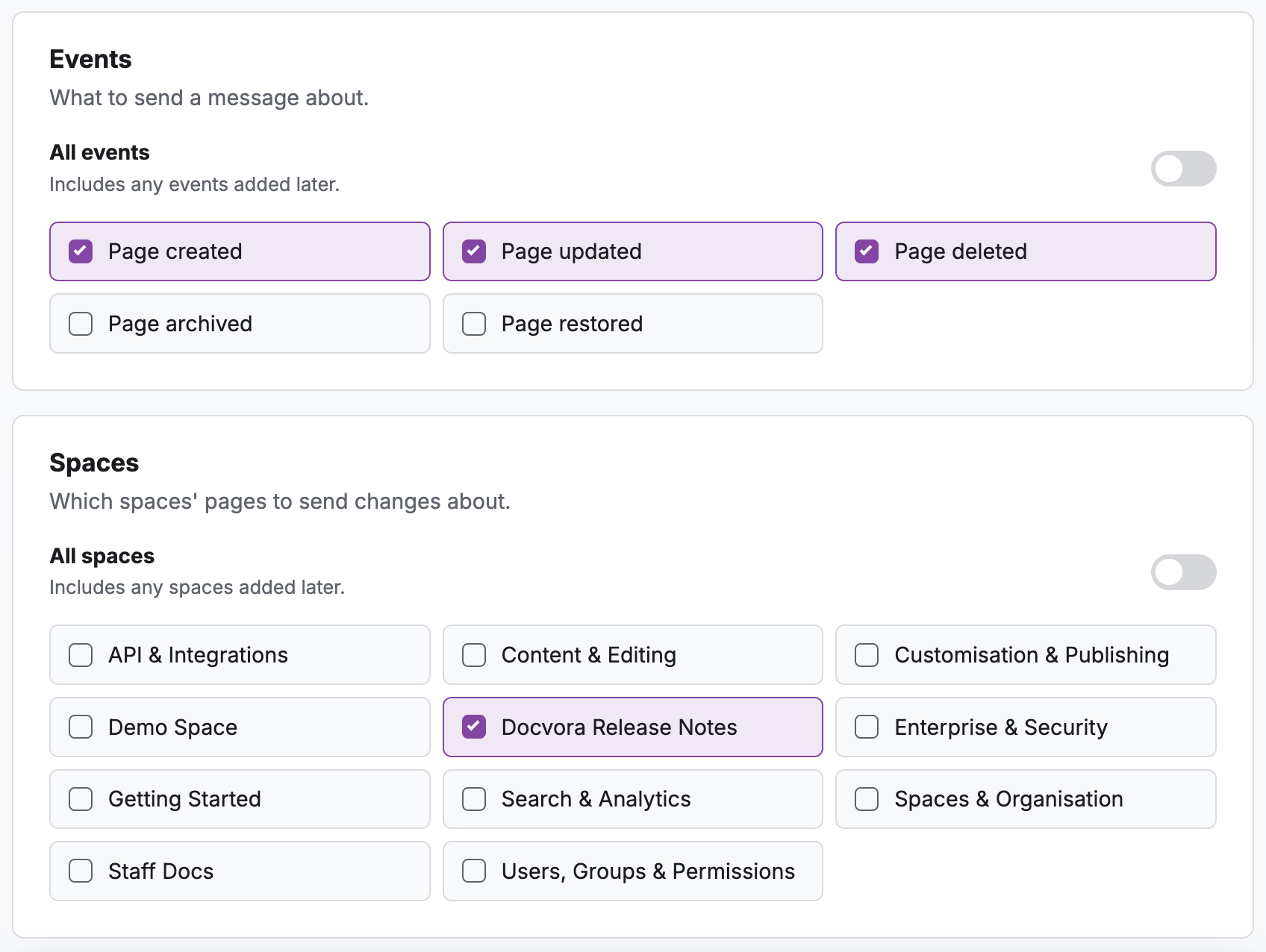
Docvora supports the below events for Webhooks and can be configured to listen to multiple spaces.
Page created
Page edited/updated
Page deleted
Page archived
Page restored
If other events are wanted contact us and we'll discuss adding more.
How to Create a Webhook
To create a webhook in Docvora the below steps can be followed to configure the webhook.
Navigate to Staff > Integrations > Create Webhook.
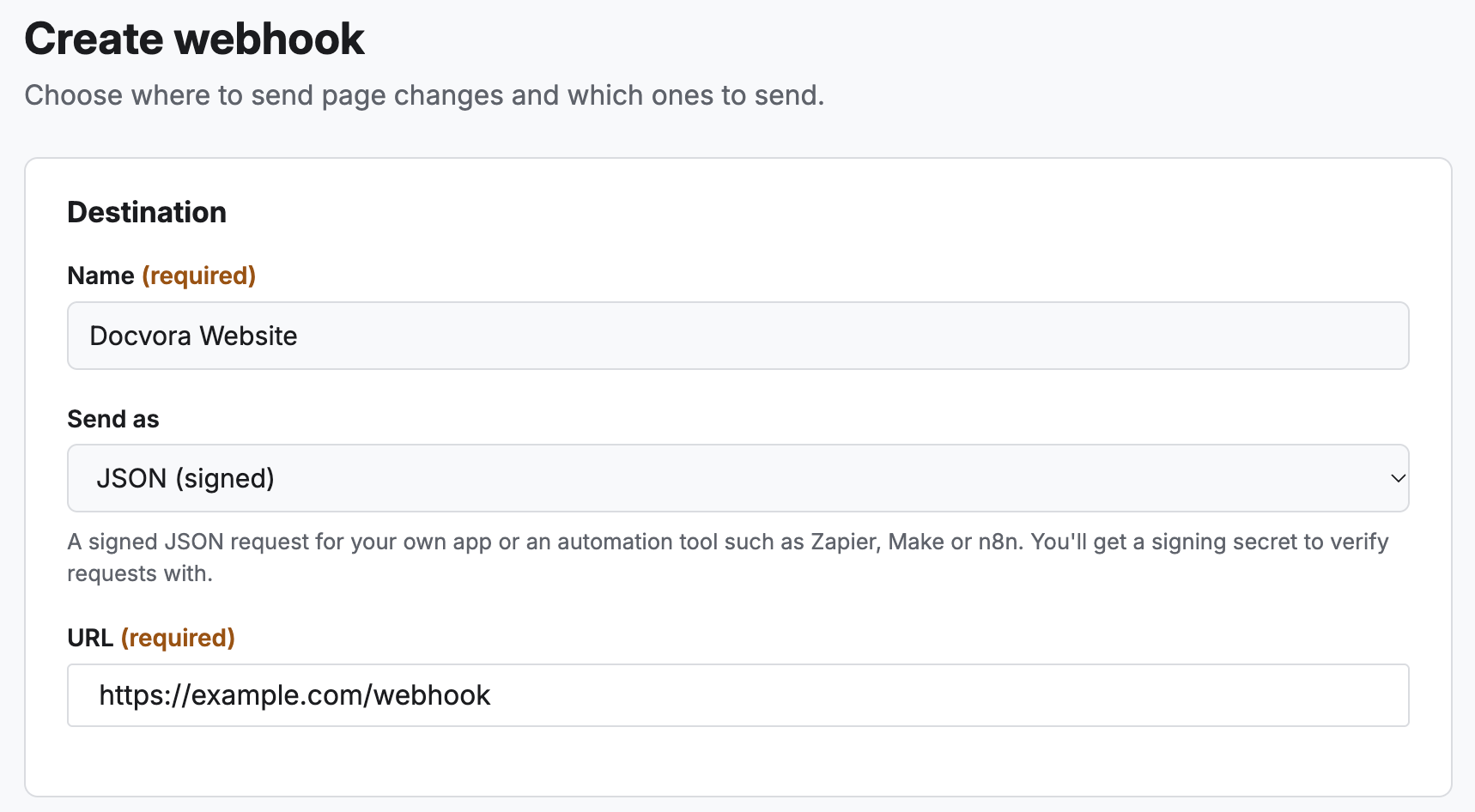
Add the desired internal name, type and URL. Currently, Docvora supports three types of Webhook which can be pre-configured for a service.
Discord
Slack
Raw JSON (see below section for example)
Set the events and spaces to monitor.
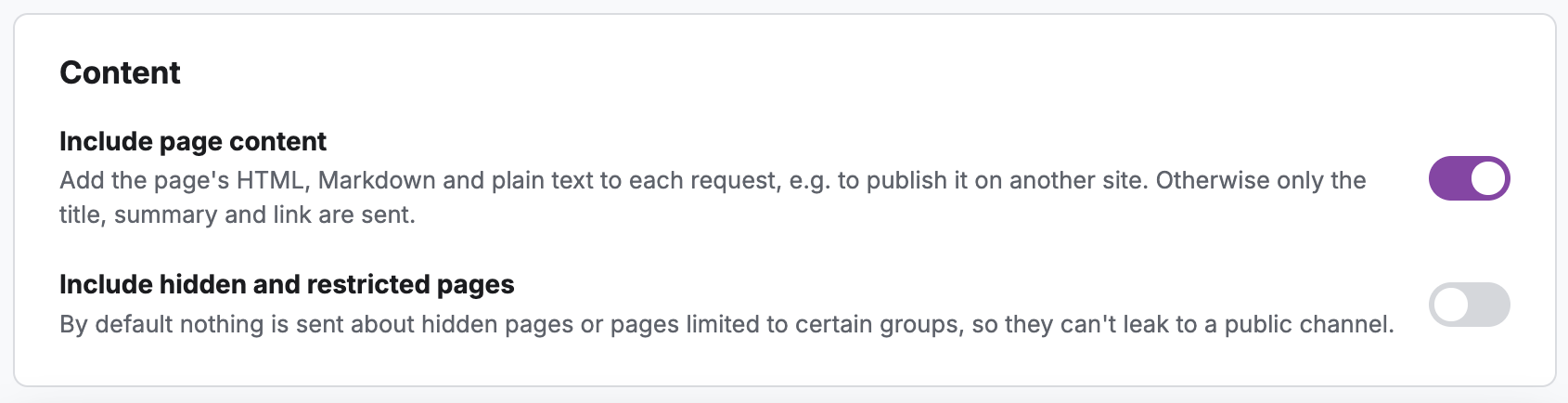
Set the content policies for the webhook.
Save the webook.
Webhook Failures
If a webhook fails to deliver to the provided URL, it will perform up to 30 re-attempts before automatically disabling the Webhook.
The below error will appear along with the webhook status set to Failing.
Deliveries are failing
The last 1 attempt failed. Failed deliveries are retried for about two days, and the webhook turns itself off after 30 failures in a row.