File Uploads
Docvora supports uploading of files with any file extension as long as it is within the upload limit (100MB by default). This allows editors to add meaningful content to pages like configuration files, videos, or other downloads. Upload Appearances Files that are uploaded have the four appearance options below and can also be clicked on for previews. Inline Appearing as the below file, these inline files allow better reading flow along with a more compact view, they appear right in the text content . Card These views take the full width of the page and provide some more information including a file size and type along with a download button. Thumbnail A simple squared version of the text file allows multiple to be in the same line for better flow when multiple files are being uploaded. Thumbnail files uploaded next to each other move into a row and wrap automatically. Embedded Supported for the below file types, embedded views show the contents directly on the page rather than forcing the user to click into the content. Upload Limits Docvora enforces a 100MB upload limit by default for files uploaded to a page. This limit provides flexibility for uploaded content in archived files along with images and small videos. The upload limit can be increased at a $1 per 200MB or $8 per 2GB. Contact Docvora Support to increase the limit. Docvora instances using excessive file uploads or storage may be billed for usage. Upload Previews All uploads to Docvora will have a preview window when clicked on which allows easy viewing for supported files. Text-based files Videos Audio Files PDFs Text Files Source; https://docs.weblutions.com/share/spaces/faxstore/config-file PDF Video Audio
Docvora supports uploading of files with any file extension as long as it is within the upload limit (100MB by default). This allows editors to add meaningful content to pages like configuration files, videos, or other downloads.
Upload Appearances
Files that are uploaded have the four appearance options below and can also be clicked on for previews.
Inline
Appearing as the below file, these inline files allow better reading flow along with a more compact view, they appear right in the text content .Card
These views take the full width of the page and provide some more information including a file size and type along with a download button.
Thumbnail
A simple squared version of the text file allows multiple to be in the same line for better flow when multiple files are being uploaded. Thumbnail files uploaded next to each other move into a row and wrap automatically.
Embedded
Supported for the below file types, embedded views show the contents directly on the page rather than forcing the user to click into the content.
Text-based files
Videos
Audio Files
PDFs
Upload Limits
Docvora enforces a 100MB upload limit by default for files uploaded to a page. This limit provides flexibility for uploaded content in archived files along with images and small videos.
The upload limit can be increased at a $1 per 200MB or $8 per 2GB. Contact Docvora Support to increase the limit.
Docvora instances using excessive file uploads or storage may be billed for usage.
Upload Previews
All uploads to Docvora will have a preview window when clicked on which allows easy viewing for supported files.
Text-based files
Videos
Audio Files
PDFs
Text Files
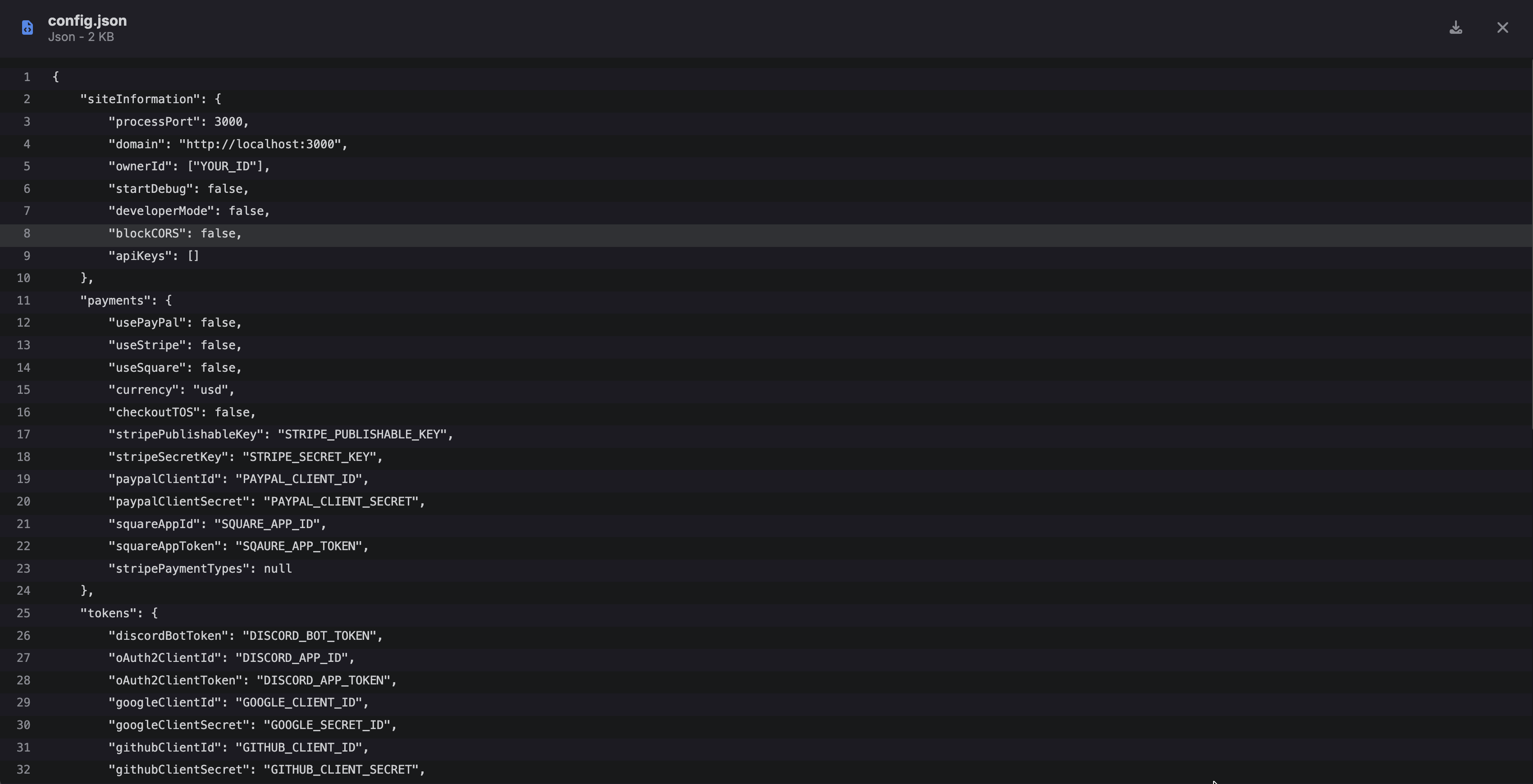
Source; https://docs.weblutions.com/share/spaces/faxstore/config-file