Migrating from FaxDocs
Docvora supports migrating existing documentation from FaxDocs, making it easy to move documentation to Docvora without manually recreating pages and content. Through the partnership between Docvora and Weblutions, the migration process is simplified with a secure connection between both platforms. Before Getting Started To begin migrating from FaxDocs, only the URL of the existing FaxDocs documentation site is required. There is no need to generate API tokens, configure authentication credentials or manually establish a connection. Docvora and FaxDocs communicate through a handshake process, allowing the platforms to establish a connection without additional configuration. Migrating to Docvora Follow the steps below to begin importing existing FaxDocs documentation into Docvora. Navigate to Staff > Integrations > Migration Tools > FaxDocs. Ether the domain or URL to the FaxDocs website. Select find categories and once the handshake completes options will appear. Select desired FaxDocs categories and options. Select start import. Authentication and Security The integration between Docvora and FaxDocs is supported through the partnership with Weblutions, the developers of FaxDocs. Instead of requiring API tokens or manually configured credentials, the platforms use a handshake process to establish a connection for the migration. This simplifies the process and removes the need to handle authentication credentials manually. Need Assistance? For assistance with migrating from FaxDocs, the Docvora support team can provide guidance throughout the process. Visit the Docvora Contact Page to get in touch.
Docvora supports migrating existing documentation from FaxDocs, making it easy to move documentation to Docvora without manually recreating pages and content.
Through the partnership between Docvora and Weblutions, the migration process is simplified with a secure connection between both platforms.
Before Getting Started
To begin migrating from FaxDocs, only the URL of the existing FaxDocs documentation site is required.
There is no need to generate API tokens, configure authentication credentials or manually establish a connection. Docvora and FaxDocs communicate through a handshake process, allowing the platforms to establish a connection without additional configuration.
Migrating to Docvora
Follow the steps below to begin importing existing FaxDocs documentation into Docvora.
Navigate to Staff > Integrations > Migration Tools > FaxDocs.
Ether the domain or URL to the FaxDocs website.
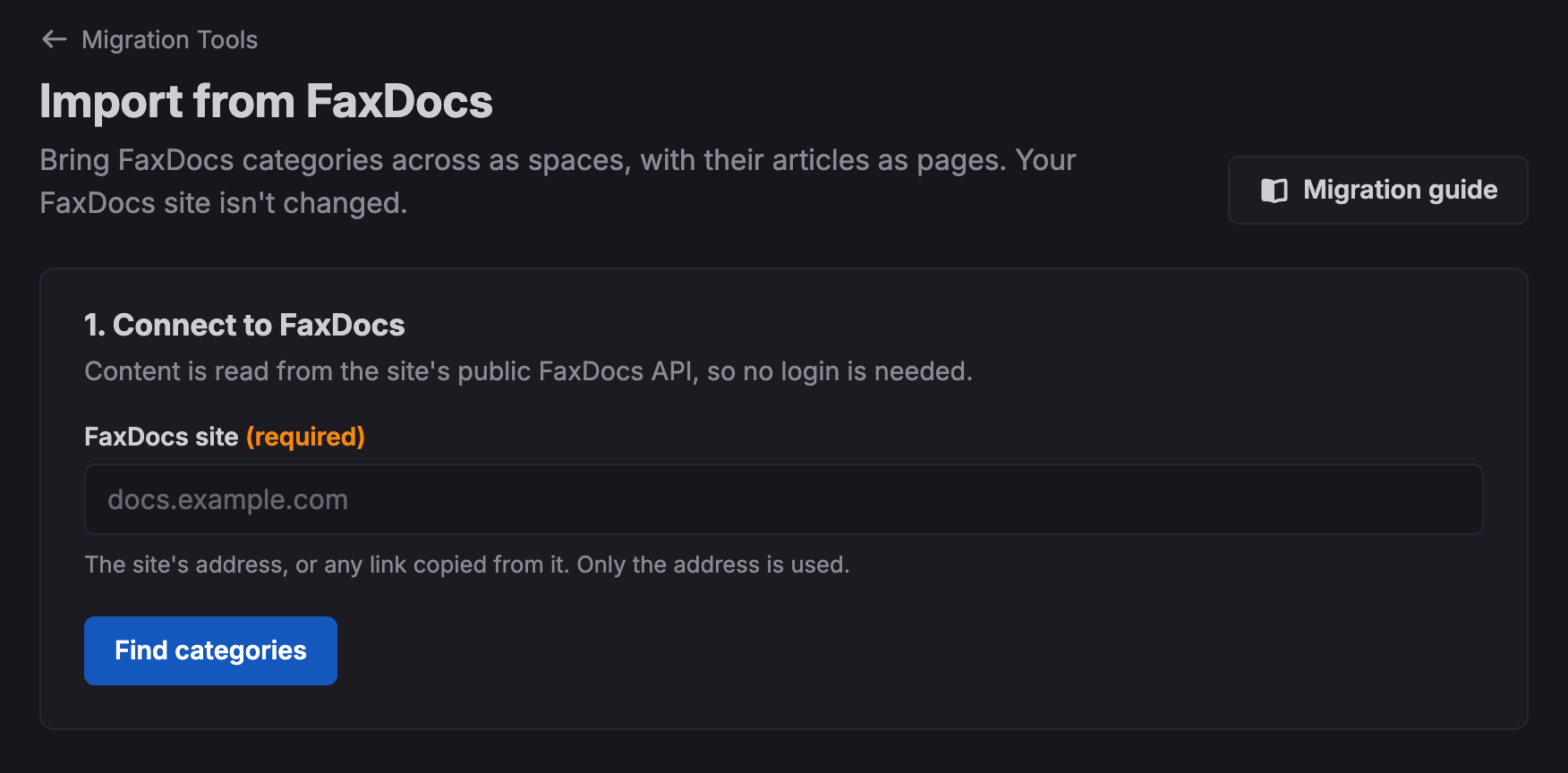
Select find categories and once the handshake completes options will appear.
Select desired FaxDocs categories and options.
Select start import.
Authentication and Security
The integration between Docvora and FaxDocs is supported through the partnership with Weblutions, the developers of FaxDocs.
Instead of requiring API tokens or manually configured credentials, the platforms use a handshake process to establish a connection for the migration.
This simplifies the process and removes the need to handle authentication credentials manually.
Need Assistance?
For assistance with migrating from FaxDocs, the Docvora support team can provide guidance throughout the process.
Visit the Docvora Contact Page to get in touch.