Search Insights
Search insights are a feature on Pro and Enterprise plans which allows staff to inspect search performance across the site. Therefore, allowing page enhancements to be made on pages to find content more discoverable. Table of Contents Search Data Collection Searches - a total count of all searches performed. Searchers - the amount of users/individuals searching for content. Click-through rate (CTR) - a percentage of how many searches had a result clicked on. No-result rate (NRR) - a percentage where a search query presented no results for the user. Low-click through - a count of search queries that displayed pages that were not clicked on three or more times. Using this data and associating the date the below can be displayed to staff through the Docvora Staff Panel. Searches per day. Click-through rate per day. Daily results with success rates. Most searched terms. Pages opened from search results. Disabling Search Logging The logging of search data can be disabled in the staff panel within the policy toggles. To update this setting Administrator or Master Administrator permissions are required. Navigate to Staff > Settings > Policies. Disable or enable search logging. Save the changes. Search Logging Privacy While data collected contains the query, staff state, date. All searches are not linked to any specific account or end-user. All users whether logged in or not are granted a temporary session based identifier to provide the 'Searchers' statistic, meaning no data is associated or stored against a reader. Search Insights Staff Page The Search Insights staff page can be accessed by users with the Pages View staff permission.
Search insights are a feature on Pro and Enterprise plans which allows staff to inspect search performance across the site. Therefore, allowing page enhancements to be made on pages to find content more discoverable.
Table of Contents
Search Data Collection
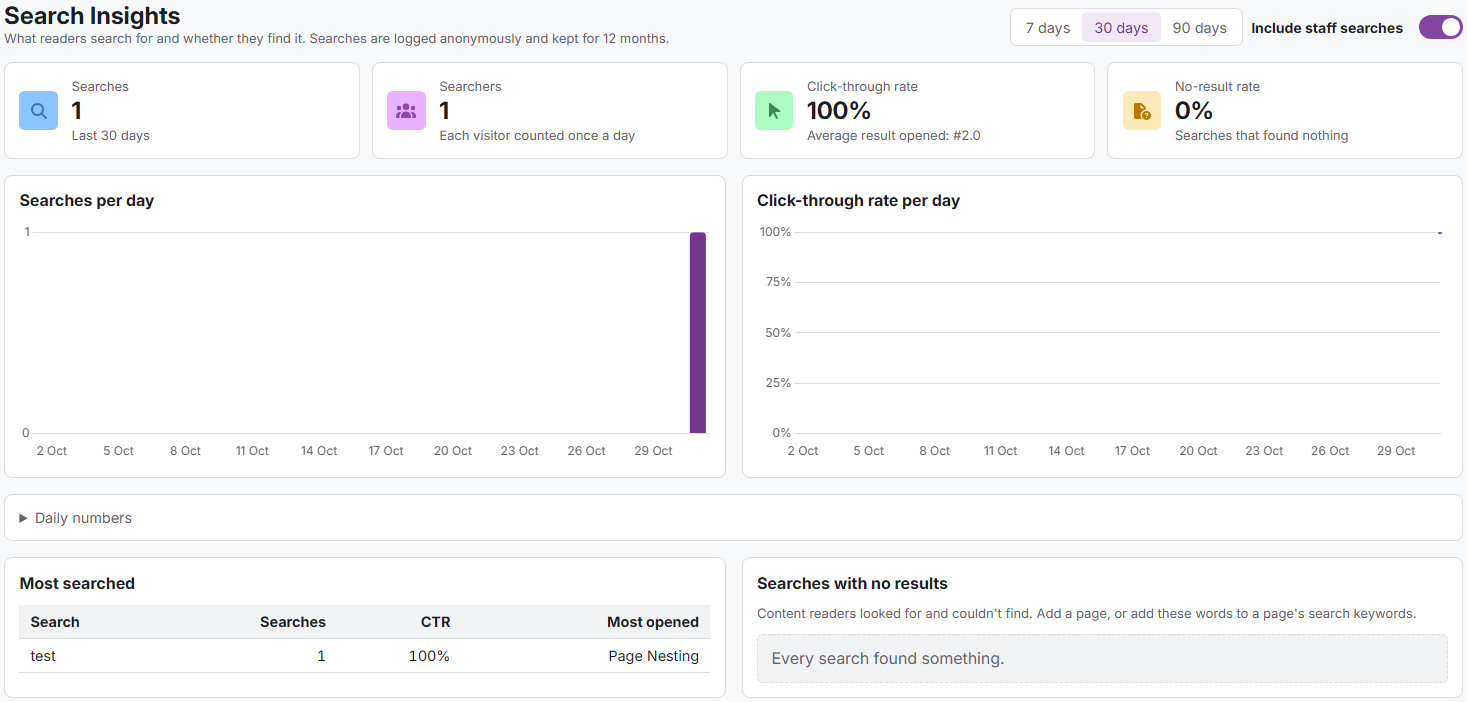
Searches - a total count of all searches performed.
Searchers - the amount of users/individuals searching for content.
Click-through rate (CTR) - a percentage of how many searches had a result clicked on.
No-result rate (NRR) - a percentage where a search query presented no results for the user.
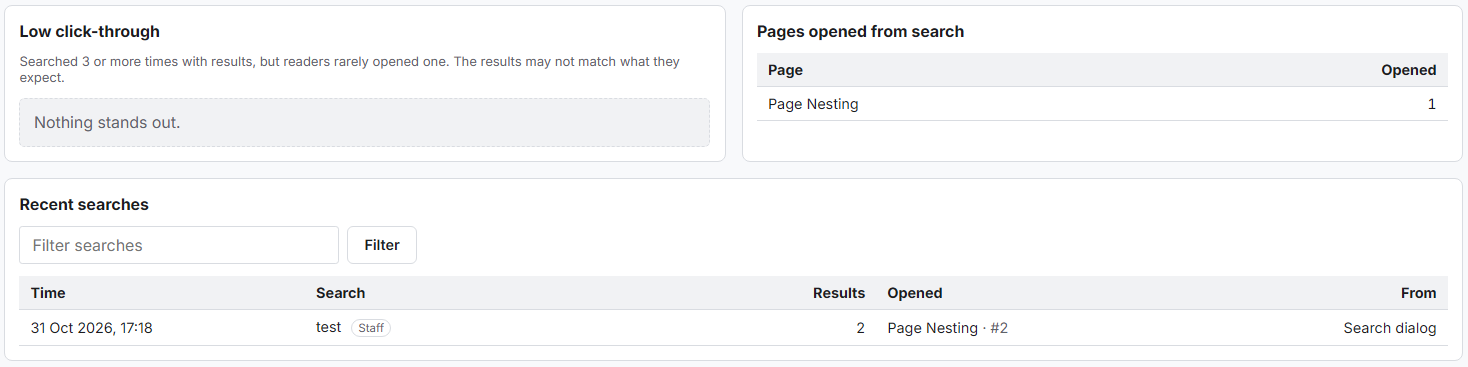
Low-click through - a count of search queries that displayed pages that were not clicked on three or more times.
Using this data and associating the date the below can be displayed to staff through the Docvora Staff Panel.
Searches per day.
Click-through rate per day.
Daily results with success rates.
Most searched terms.
Pages opened from search results.
Disabling Search Logging
The logging of search data can be disabled in the staff panel within the policy toggles. To update this setting Administrator or Master Administrator permissions are required.
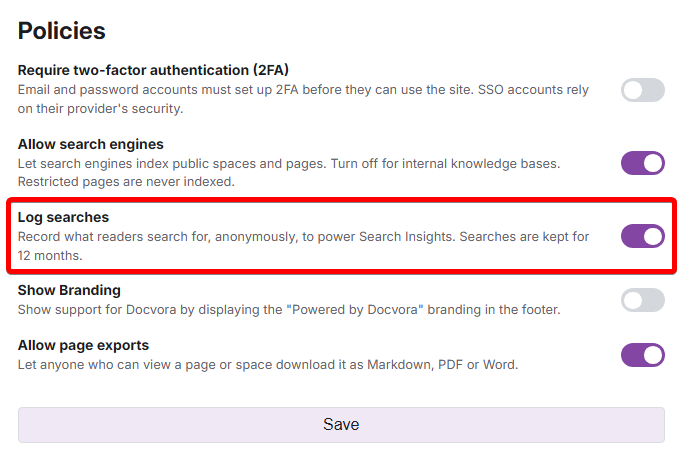
Navigate to Staff > Settings > Policies.
Disable or enable search logging.
Save the changes.
Search Logging Privacy
While data collected contains the query, staff state, date. All searches are not linked to any specific account or end-user. All users whether logged in or not are granted a temporary session based identifier to provide the 'Searchers' statistic, meaning no data is associated or stored against a reader.
Search Insights Staff Page
The Search Insights staff page can be accessed by users with the Pages View staff permission.