 Getting Started
Getting Started with Docvora
After a Docvora instance has been ordered, the initial setup creates the documentation site and the first staff account.
Initial setup
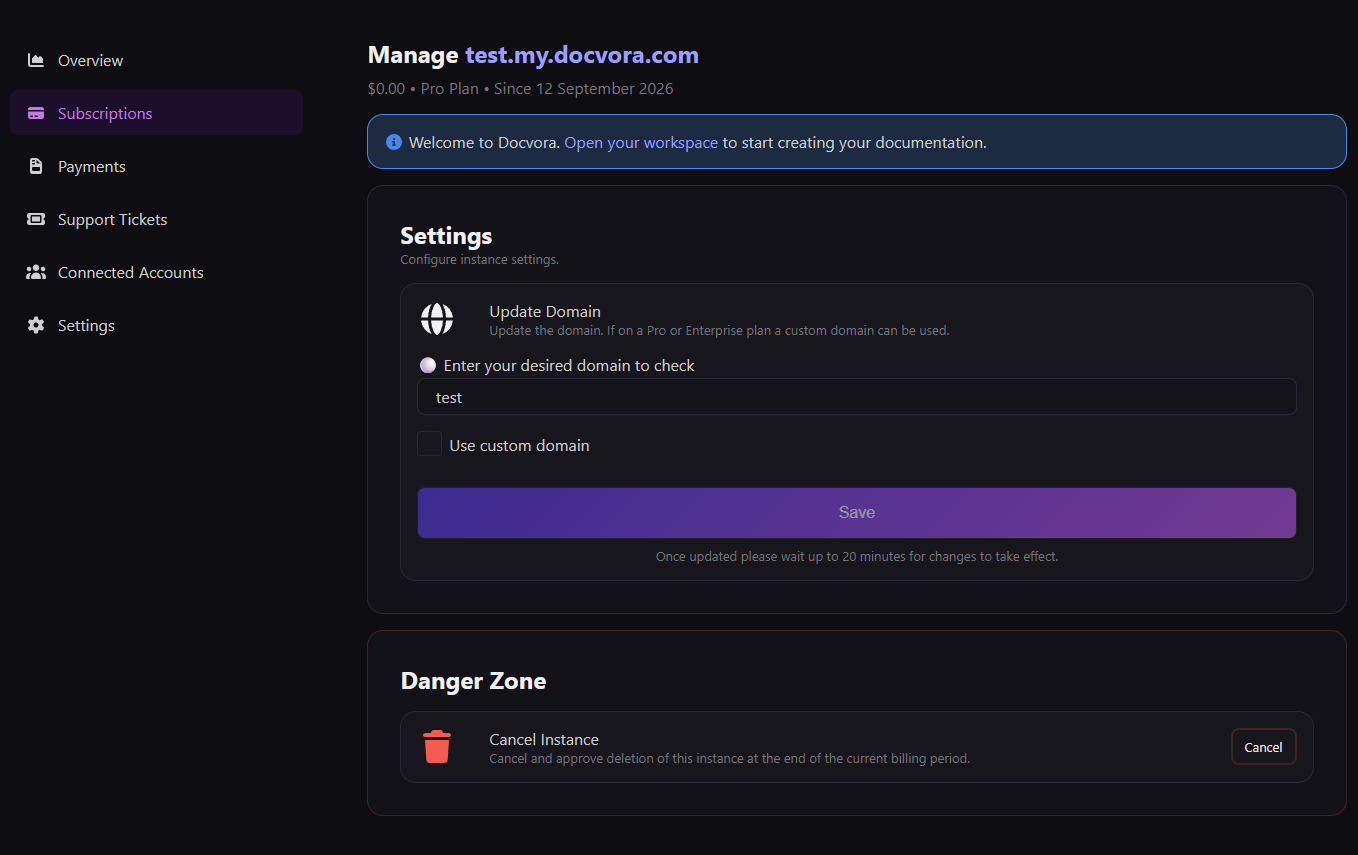
After an order is placed on docvora.com, the instance page is displayed.
The instance page contains information and controls relating to the Docvora instance, including:
Billing information
Current plan details
Domain settings (where available)
A link to the documentation site
A setup banner is displayed for new instances with an option to visit the documentation site and complete the initial setup.
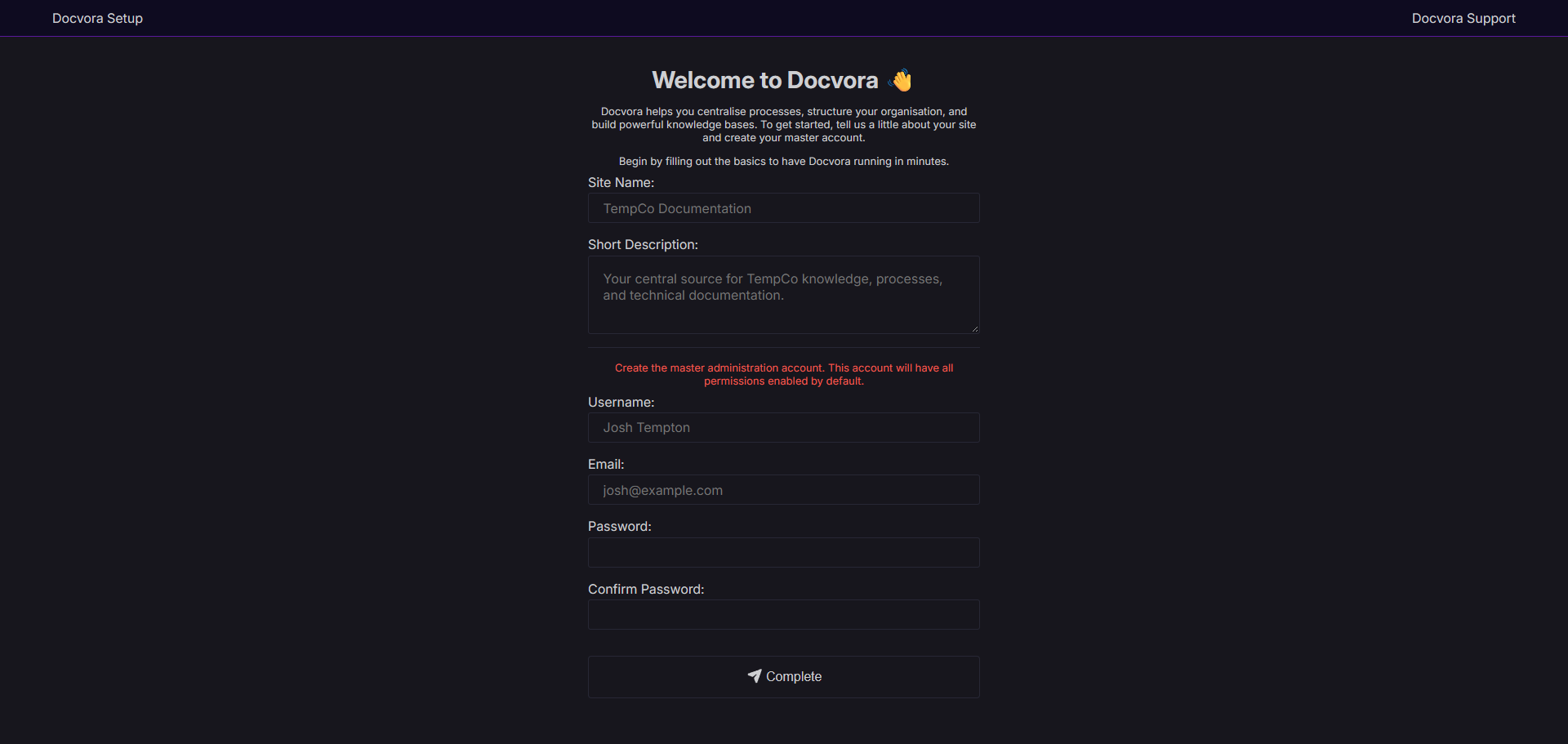
Create the documentation site
The setup page requires the following site information:
Site title
Site description
The master staff account is also created during this process. The following account details are required:
Name
Email address
Password
The password is created during setup and can be changed later from the staff account settings.
Once the setup has been completed, the documentation site is ready to use.
Staff panel overview
The staff panel is used to manage the documentation site, including spaces, pages and other site settings.
It can be accessed by adding /staff to the documentation site address.
For example:
demo.docvora.com/staff
After signing in, the staff overview page provides access to the available management areas for the site.
The public-facing documentation site can be opened from the staff panel by selecting the site name or using the exit option.
Documentation site overview
A new Docvora instance does not currently contain any spaces or pages.
Spaces are the main containers used to organise documentation. At least one space must be created before pages can be added.
For example, documentation could be organised into separate spaces for:
Getting started guides
Product documentation
Developer documentation
Internal documentation
Policies and procedures
Once a space has been created, pages can be added to begin building the documentation site.
The documentation site and staff panel are separate areas. The documentation site displays the published documentation, while the staff panel contains the tools used to manage it.
View the 'Basic Terminology' section in What is Docvora? to learn used terms.