 Getting Started
The Staff Dashboard
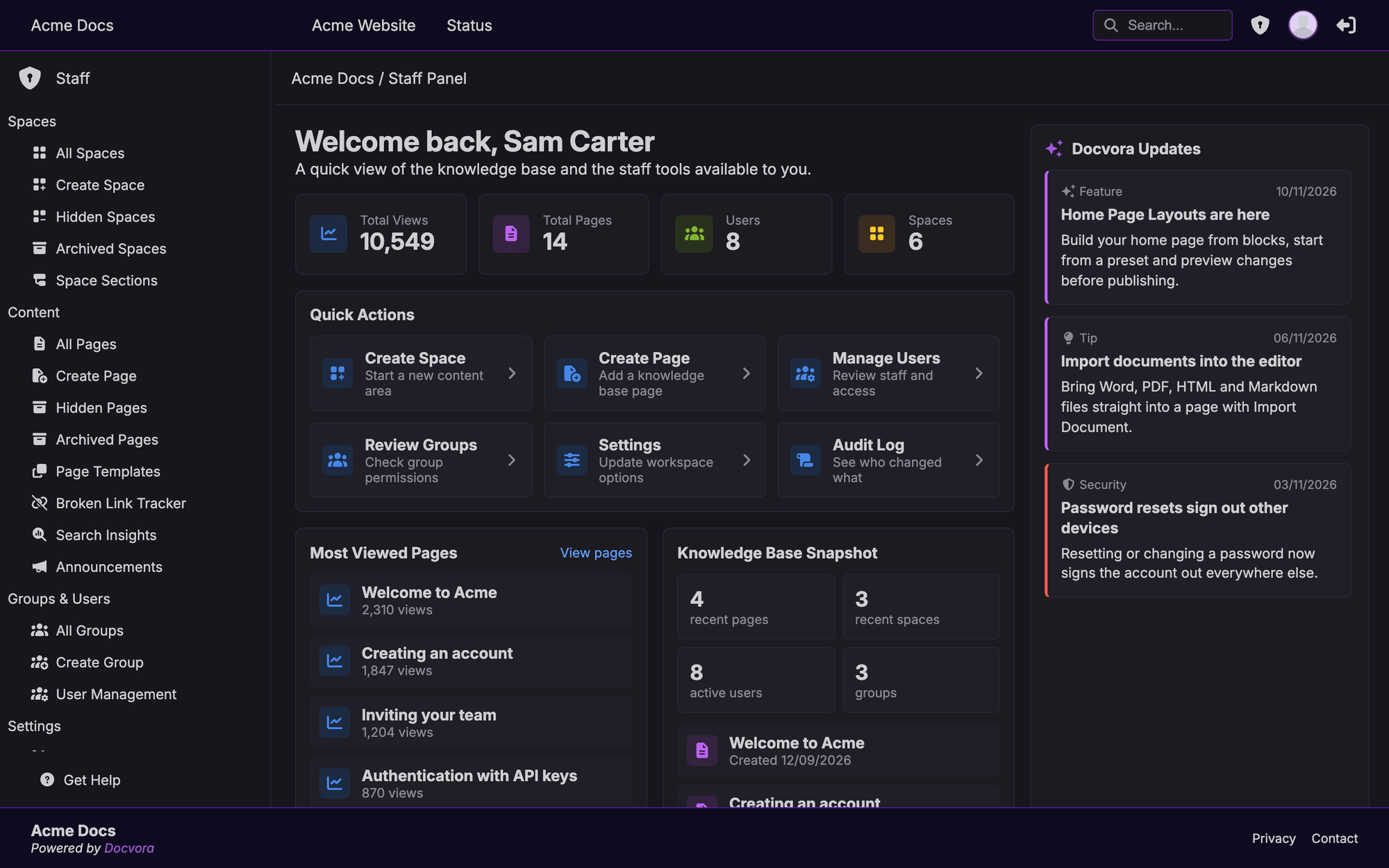
The staff dashboard is the first page staff see in the staff panel. It gives a quick view of the knowledge base and shortcuts to the tools each staff member can use.
The staff dashboard is available on all Docvora plans to staff accounts.
To open the dashboard, go to /staff on the site, such as https://docs.example.com/staff. Administrators can also select the shield icon in the site's header.
Site totals
The top of the dashboard shows four totals for the whole site:
Total Views: views across every page
Total Pages: the number of pages
Users: the number of accounts
Spaces: the number of spaces
Quick Actions
Quick Actions are shortcuts to common tasks. Only the actions the current account has permission to use are shown.
Create Space: start a new space
Create Page: add a page
Manage Users: open User Management
Review Groups: open User Groups, on Pro and Enterprise plans
Settings: open Docvora Settings
Audit Log: open the Audit Log, on Enterprise plans
Most Viewed Pages
Lists the six most viewed pages on the site. Selecting a page opens it, and View pages opens the full page list in the staff panel.
Knowledge Base Snapshot
A summary of recent activity:
the most recently created pages and spaces
the number of active users
the number of user groups
Docvora Updates
The Docvora Updates panel shows the latest news and release announcements from the Docvora team, such as new features and changes to the platform. Full details of each release are published in Docvora Release Notes.
Staff navigation
The sidebar on the left of the staff panel lists every area the account can use, grouped into Spaces, Content, Groups & Users, Settings and Integrations. See Navigating Docvora for an overview of each area.